

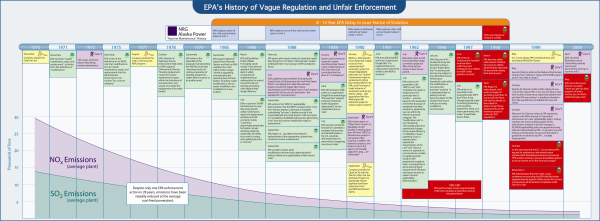
Hardly a case goes to trial without some sort of timeline. Whether it is produced in PowerPoint, Prezi, printed on a trial board, displayed on an Elmo or made using litigation timeline-specific software, timelines are an essential tool in a litigator's arsenal.
Preparing a timeline, like creating a PowerPoint or driving a car, seems easy enough at first. However, like either of those tasks, the basics are simple, but the talent-spread between a novice and a master is vast. Below are 5 tips from a group of timeline masters at A2L Consulting that will help anyone advance their talent level:
We hope these tips help you make a fantastic litigation timeline. If you need the assistance of one of our experts, please contact us by email or at the contact number below.

"We made the right decision when we hired you. You are absolutely the best."
Holland & Knight"I am very happy with the quality of A2L's work and happy with the graphics. One of the best jury consultants I have worked with."
Gibson Dunn & Crutcher"If you are in need of highly qualified, creative, diligent and personable providers of trial graphics, I recommend A2L. They were wonderfully helpful and supportive of our team and demonstrated, repeatedly, real skill in creating graphic and demonstrative exhibits that captured the essence of our presentation. Just as important, they did this under extreme time and quality pressure and, always, with a smile."
Foley & Lardner"Your team did a very nice job on the simulation in the engine case and I will certainly keep and your team in mind for future litigation support needs."
Finnegan"You guys were great, I’ll definitely use you again."
Fidelity National Law GroupPersuadius (formerly A2L Consulting) has extensive experience in complex litigation. For over twenty-five years, we have worked with all top law firms on more than 10,000 matters with at least $2 trillion cumulatively at stake. Persuadius (as A2L) is regularly voted best jury consultants, best trial consultants, and best litigation graphics consultants.
© Persuadius 1995-2023, All Rights Reserved.
Nationwide Contact: 1-800-847-9330